Creditors — check and sign off in one place
Every supplier invoice in one list: due date, orderer and object at a glance — and the invoice opens beside its positions.
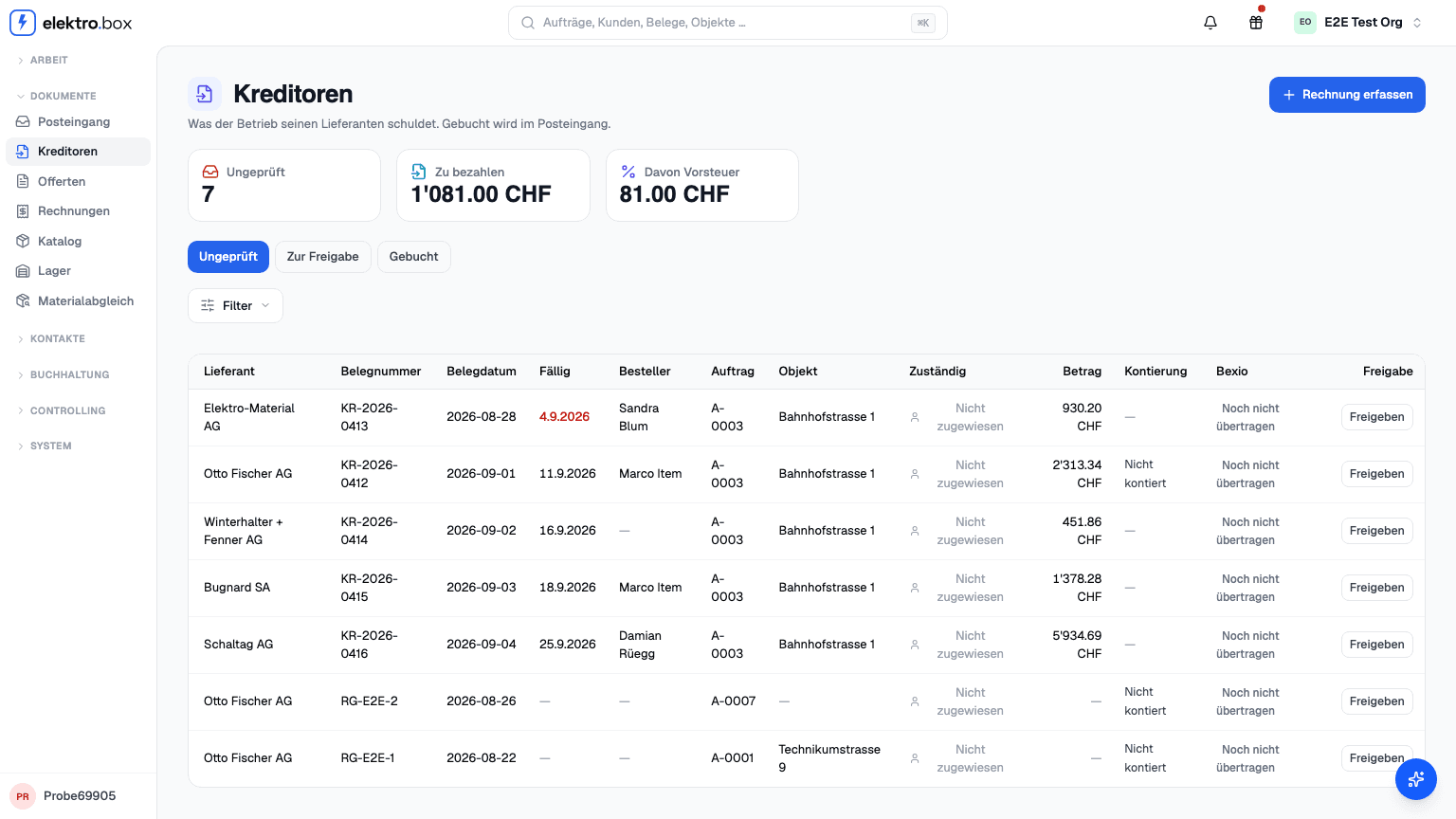
A supplier invoice used to be spread across several areas: the list in one place, the positions in the inbox, the release somewhere else again. Documents → Creditors now puts it all on one page — what the company owes its suppliers, and everything there is to do about it.
The overview shows what you need in order to judge an invoice: due date, orderer, the assigned order and its object, the coding and sign-off status, and where it stands in bexio. Filter by search, sign-off, bexio, orderer, assignee and due date — who has to be paid this week is one glance away.
Opening an invoice puts the PDF beside what the AI read out of it, with the positions underneath. Each position can be coded and signed off on its own, and the invoice released as a whole. Your accountant can sign off too, if you enable it for them.