Enter quotes and invoices faster – entirely from the keyboard
The position editor now works with the arrow keys: type the number, Enter, quantity – and ⌘/Ctrl+Enter inserts a new position exactly where you are working.
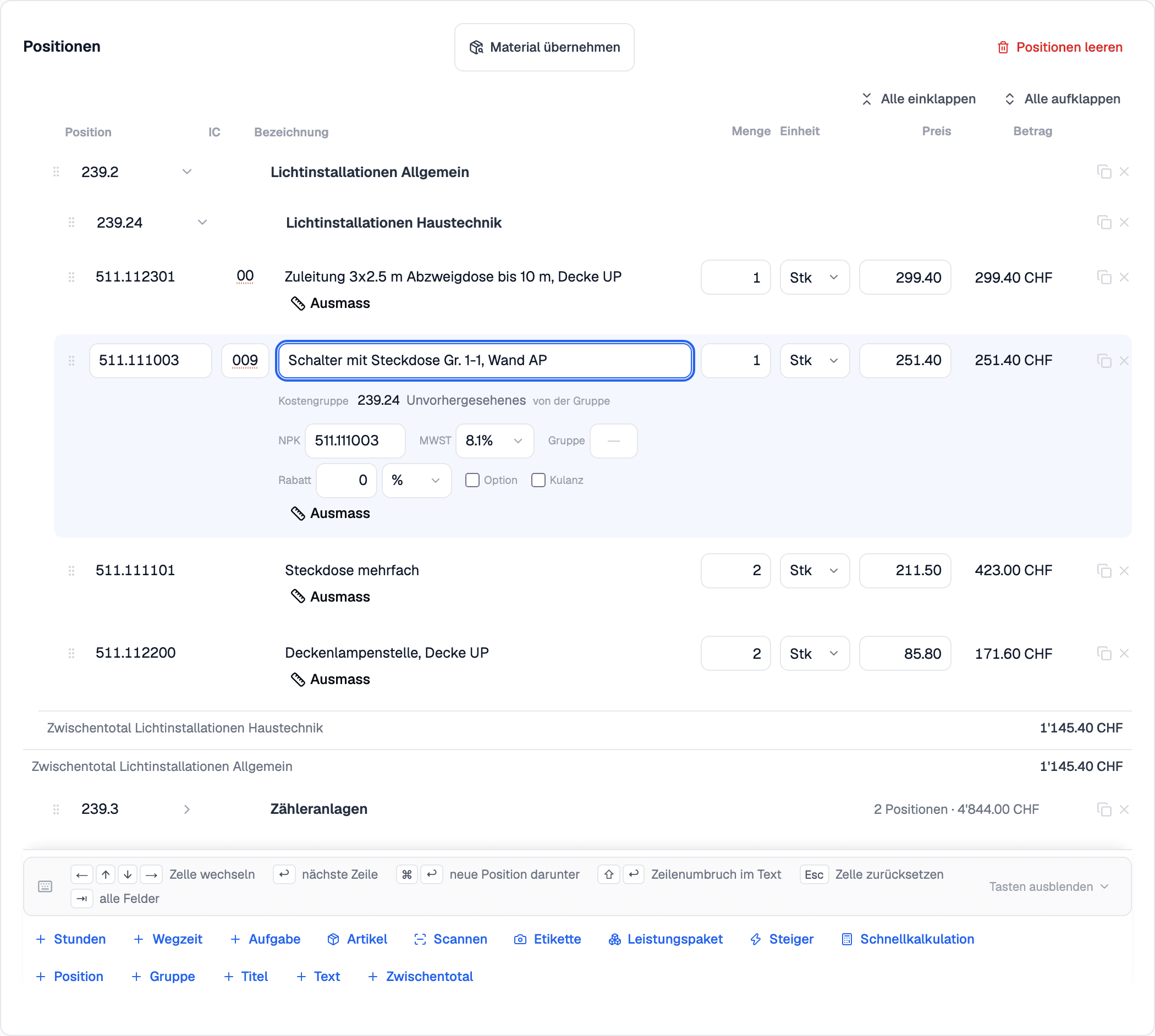
The arrow keys and Enter move from field to field and from row to row, across titles and groups too. A bar under the table always shows the most important keys.
In the «Position» field, the article, NPK or ELDAS number is enough – with the Elektro package, the Steiger number too. The search runs right in the field, and Enter takes the match. Right beside it is the installation code (IC), which is also printed on the quote.
Large bills of quantities open in seconds, titles and groups can be collapsed, and the buttons for adding stay at the bottom of the screen – a new position lands below the row you are working in.