HR: an area of its own for your people
Equipment, onboarding, annual reviews, signals and employee accounts are now in one place – with an overview of who still has something open.
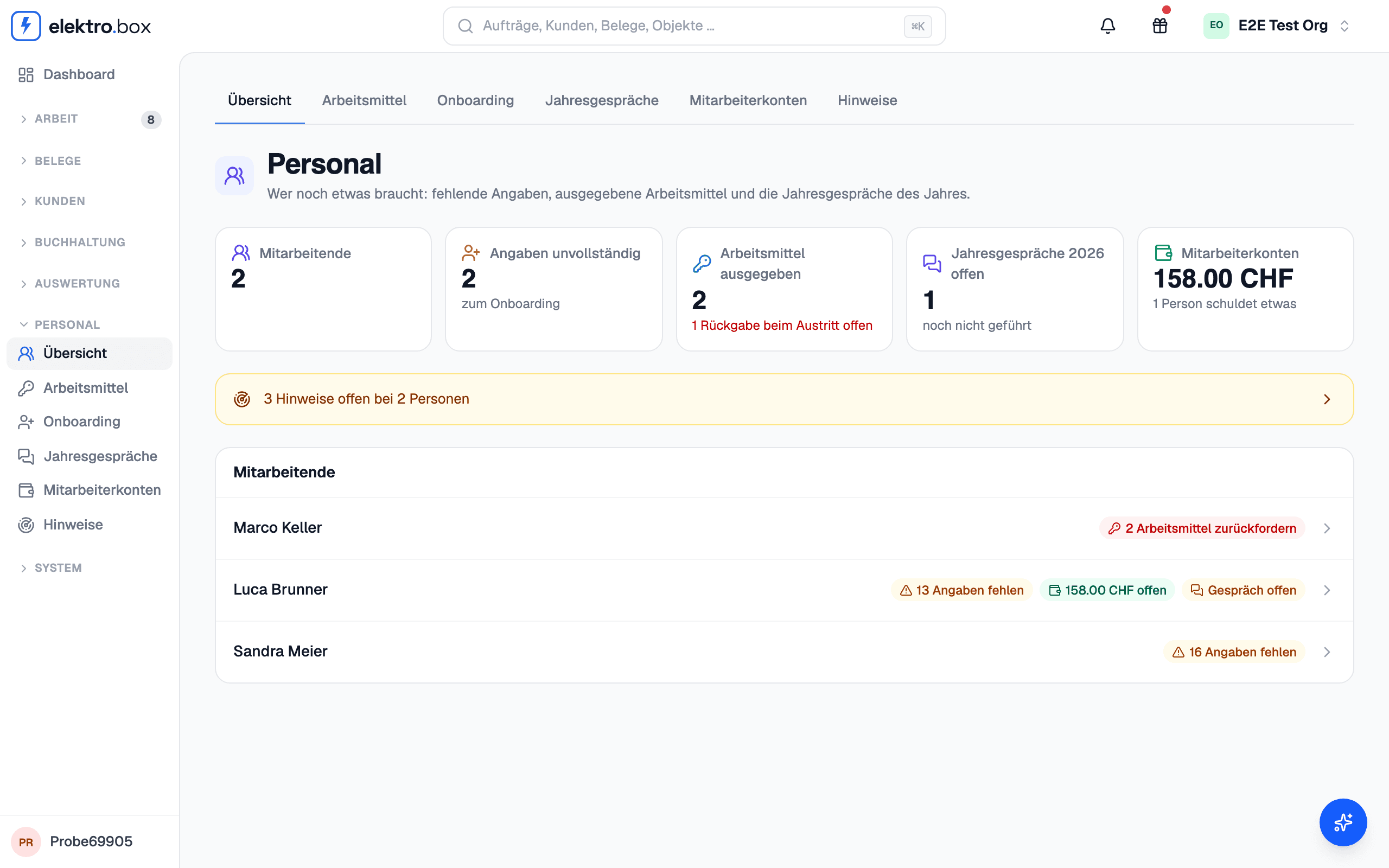
Switch on «HR» under Settings → Areas. The overview shows for every person what is still open: missing details, equipment handed out, this year's annual review and what they owe the business. Only the owner, staff with the HR role and the fiduciary see this area; the fiduciary does not see the signals.
Under Equipment you record tools, keys, laptops, phones, access cards and vehicles. Every hand-over and every return is recorded with its date, and a checklist sets out what a new person receives. Before someone leaves, Kundenbox shows what still has to come back – from 30 days before their last working day.
The onboarding walks step by step through everything payroll, work permits and emergencies need, and shows what is still missing. The new person can also fill in their personal details, ID, family, emergency contacts and bank details themselves, through a link valid for 30 days; the office checks the details and takes them over. ID scans are stored encrypted and deleted six months after the person leaves.
For the annual review, Kundenbox puts together a person's year: working time and overtime, vacation, absences, orders and Rapporte, permits and qualifications. You record goals and agreements during the review. Once shared, the person sees the review under «My payslips» and can comment on it and sign it.
Under Signals, Kundenbox names occasions for a conversation: a lot of overtime, vacation not taken, maximum working hours or rest periods exceeded, frequent short absences, missing time entries, and permits or IDs about to expire. A signal you have discussed stays quiet until its value changes markedly.
Under Employee accounts you record what employees owe the business: fines, private withdrawals and advances. For a fine on a company vehicle, Kundenbox suggests who was driving from the vehicle hand-over log, the time entries and the appointments – a person has to confirm it. If you run payroll in Kundenbox, the next payroll run proposes the deduction; nothing is deducted without confirmation, and on approval Kundenbox warns you if a deduction would go below the subsistence minimum.